
Plan Once. Post Smarter.
Save time and stay consistent on Facebook & Instagram by scheduling your content in advance using Meta Business Suite. Plan posts, stories, and reels, choose the best posting time, and focus more on growing your brand—while Meta handles the timing.
Marketwell Team
2/9/20262 min read
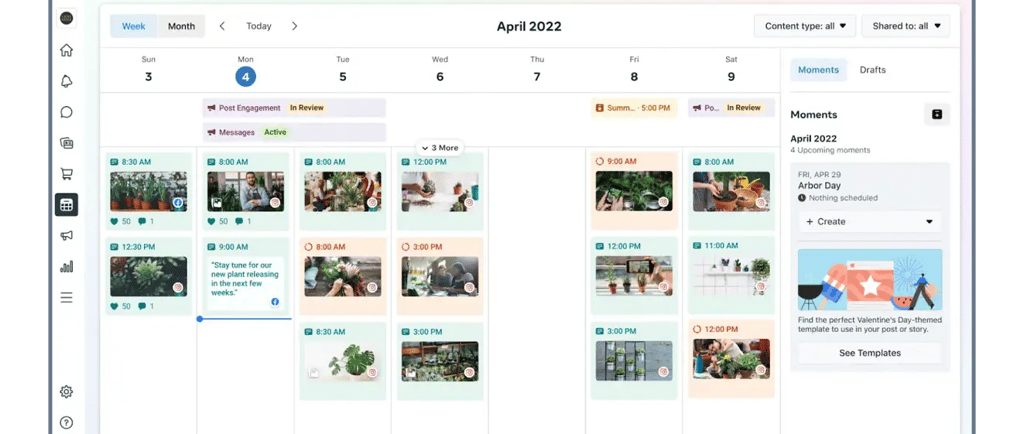
How to Schedule Facebook & Instagram Content Using Meta Business Suite (Desktop)
Consistency is everything in digital marketing. Posting regularly on Facebook and Instagram helps brands stay visible, build trust, and engage their audience. But doing it manually every day? That’s a productivity killer.
That’s where Meta Business Suite (Desktop) comes in.
With Meta Business Suite, you can schedule posts, stories, and reels in advance, saving time and keeping your content strategy organised.
Why Scheduling Content Matters in Digital Marketing
Scheduling content is a best practice used by top digital marketing agencies because it helps you:
Maintain consistent posting
Plan campaigns in advance
Post at peak engagement times
Reduce last-minute stress
Focus more on strategy and performance
Whether you’re a business owner, marketer, or agency, scheduled content = smarter growth.
Before You Begin
Make sure you have full control or Content permissions for the Facebook Page or Instagram account you want to post on.
⚠️ Note: The steps below apply only to Meta Business Suite on desktop, not the mobile app.
Step-by-Step: How to Schedule Content in Meta Business Suite (Desktop)
1. Select Your Business Assets
Log in to Meta Business Suite and choose the correct business portfolio and Page or Instagram account.
2. Open Content or Planner
From the left sidebar, click Content or Planner.
3. Choose Content Type
Click:
Create post
Create story
Create reel
4. Select Platforms
Choose where you want to publish:
Facebook
Instagram
Or both
5. Create Your Content
Add:
Images or videos
Caption text
Hashtags, links, or tags
6. Set Date & Time
Under Scheduling options:
Turn on Set date and time
For reels, click Schedule
Manually choose your publishing date and time
Pro Tip:
Click Active times to see when your followers were most active in the last 7 days. Posting during these times can boost engagement.
7. Schedule Your Post
Review everything and click Schedule.
Managing Scheduled Posts
You can view, edit, or reschedule your content anytime by going to Planner. This makes Meta Business Suite a powerful content calendar tool for digital marketers.
Final Thoughts
Using Meta Business Suite for scheduling Facebook and Instagram content is a smart digital marketing move. It helps you stay organised, post consistently, and reach your audience at the right time—without daily manual effort.
If you’re serious about scaling your brand online, content scheduling isn’t optional—it’s essential.